
Glass milk bottle tracking, deposits and returns
Glass bottles cost money every time one is not returned. The software counts the bottles each customer holds, collects and refunds deposits automatically and tells you exactly who to remind.
A count for every customer
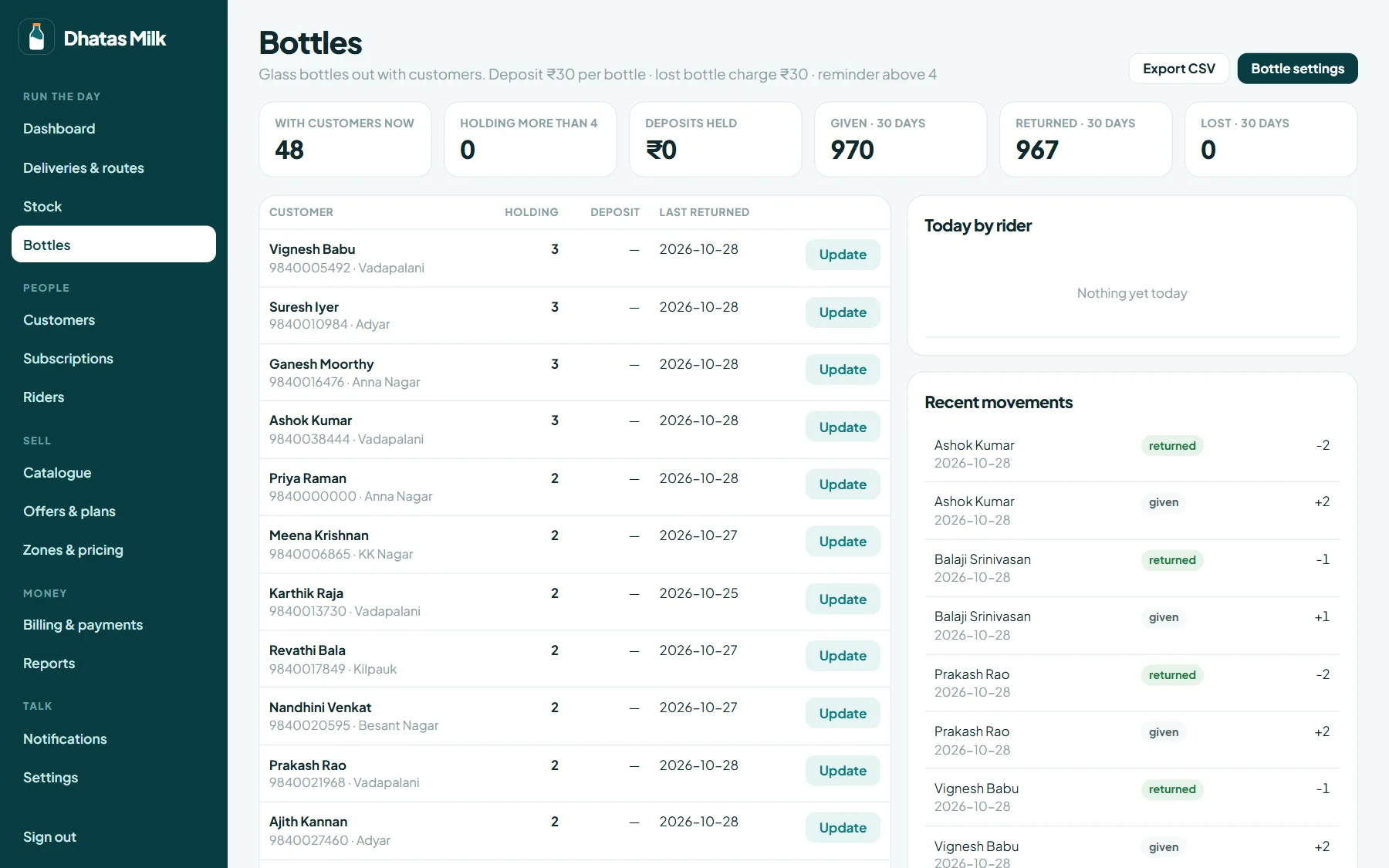
Each delivery of a returnable product adds full bottles to the customer's count. Empties collected at the same or a later stop are subtracted. The bottle report shows who holds how many and when they last returned any.
- Mark which products are returnable
- Bottles held per customer
- Last return date and overdue flag
- Daily bottles out and back per delivery boy
Empties counted at the door
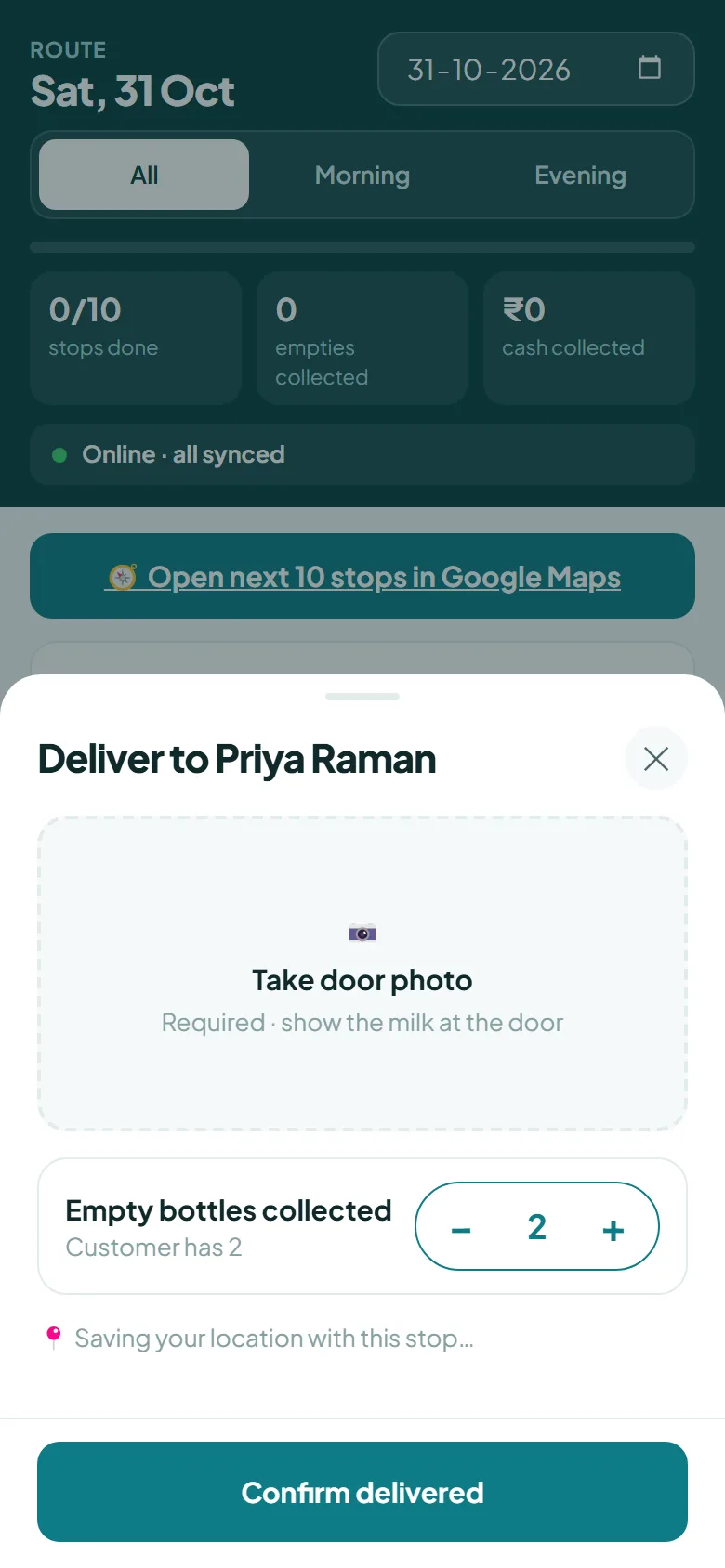
When confirming a stop, the delivery boy enters how many empties they collected with a large plus and minus control. It works offline too.
- Count shown before the delivery boy reaches the door
- Highlighted when a customer holds too many
- Saved with the delivery record
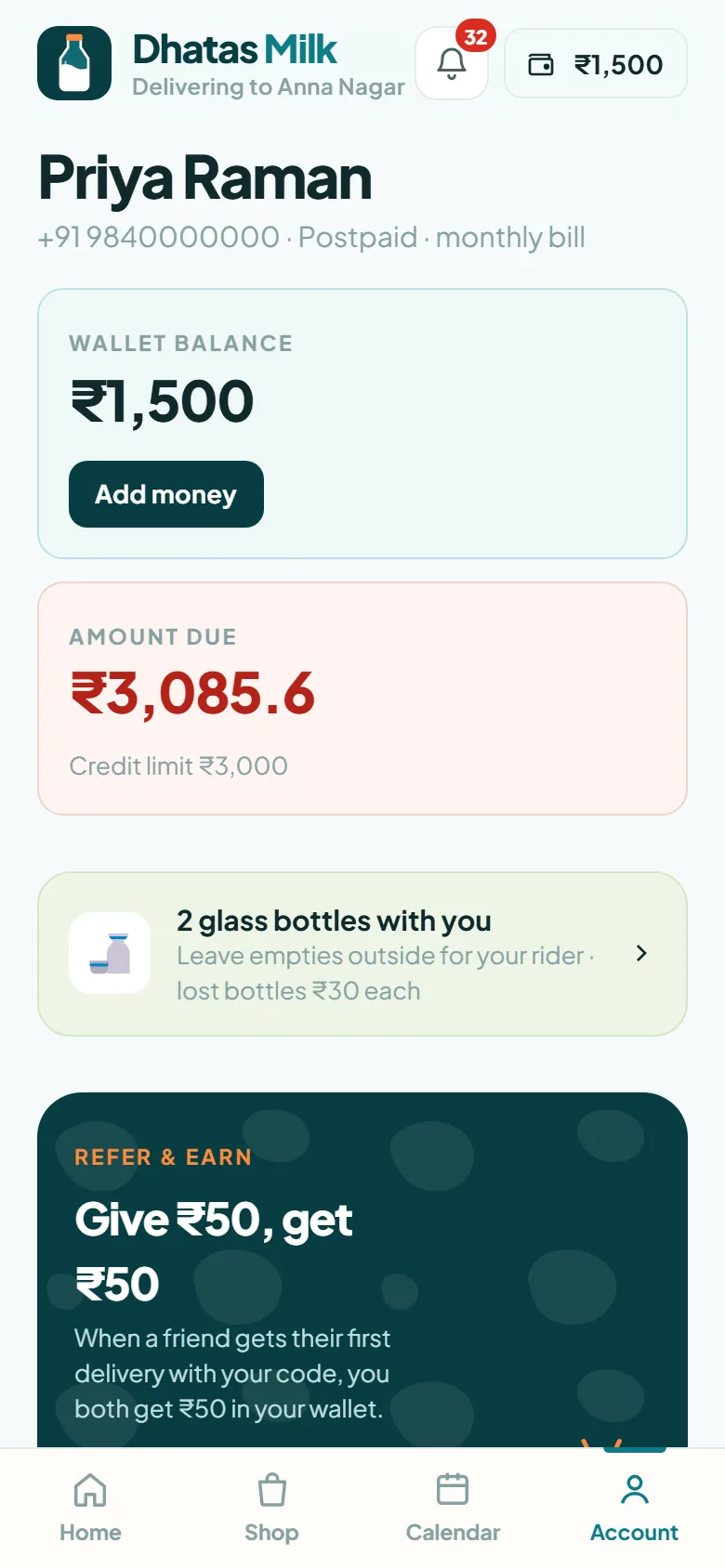
- Visible to the customer in their app
Deposits that look after themselves
Set a deposit per bottle and the software keeps each customer's deposit equal to the bottles they hold. More bottles out, the difference is charged. Empties back, the deposit is refunded to the wallet.
- Optional, off until you set an amount
- Charged the way the customer pays
- Refunded automatically
- Shown on the customer's account
Lost and broken bottles
Mark bottles as lost from the office and the customer is charged your lost bottle fee minus any deposit held. Corrections and empties returned at the dairy are recorded the same way.
- Lost bottle fee you set
- Deposit used first
- Customer notified
- Full bottle history per customer
Part of the complete milk delivery software
This works together with the rest of the system. See all features of the milk delivery software.
Milk subscription app for your customers
A branded milk subscription app for your customers. Daily, alternate day or custom schedules, skip and vacation mode, wallet, add-on products, coupons and refer and earn.
Read moreDairy management software for a milk delivery business
Dairy management software that covers customers, subscriptions, catalogue, stock, delivery zones, pricing, billing, notifications and reports for a milk delivery business.
Read moreMilk delivery boy app that works without signal
Delivery boy app for milk delivery: numbered route, Google Maps navigation, door photo proof, GPS, empty bottle collection, cash to collect and full offline mode that syncs later.
Read moreMilk billing software for monthly and prepaid customers
Milk billing software for prepaid wallet, postpaid monthly bills and hybrid accounts. Automatic weekly and monthly bills, credit limits, payment reminders and printable PDF bills.
Read moreMilk delivery route planning and daily operations
Plan milk delivery routes: shortest route from your dairy, morning and evening slots, zones per delivery boy, packing sheet, van load and returns, and stop by stop navigation.
Read moreFrequently asked questions
How are bottles counted?
Every delivery of a returnable product adds full bottles to the customer's count, and empties collected by the delivery boy are subtracted at the same stop.
How does the bottle deposit work?
You set a deposit per bottle. When more bottles go out, the difference is charged the way that customer pays. As empties come back, the deposit is refunded to the wallet.
What if a bottle is lost or broken?
The office marks it as lost. The customer is charged your lost bottle fee, minus any deposit already held for that bottle.
Can I see who has too many bottles?
Yes. The bottle report lists every customer with the bottles they hold and when they last returned any, and flags anyone above your reminder level.
Start your dairy's own app today
Free for 14 days. Your shop, delivery boy app and admin panel are ready in two minutes, with your name and colours.